Phishing Protection: Avoid Scams with an Online Password Generator
Picture this: You click what seems like a bank email link. You log in on a fake page. Next thing you know, your account is drained. This is the reality of phishing, a digital threat that tricks millions of people every year. Phishing attacks are becoming more sophisticated, making them harder to spot.
So, how can you protect your digital life from these scams? While being cautious is important, one of your most powerful defenses is something you control completely: your password. A weak, reused password is like leaving your front door unlocked. A strong, unique one is a steel-reinforced barrier.
Let's break down how to spot phishing and lock down your accounts tight. We'll explore why a strong password is your best defense and how using a secure random password generator can make this process simple and effective.

Understanding Phishing: What It Is and How It Works
Phishing is a cybercrime. Attackers pretend to be someone you trust, like a company or person. Their goal is to trick you into giving them sensitive information. This usually includes usernames, passwords, credit card details, or even social security numbers. They use this information to steal money, commit identity fraud, or sell your data.
The core of every phishing attack is deception. Attackers create a sense of urgency or fear to make you act without thinking.
Common Phishing Tactics: Emails, Texts, and Impersonations
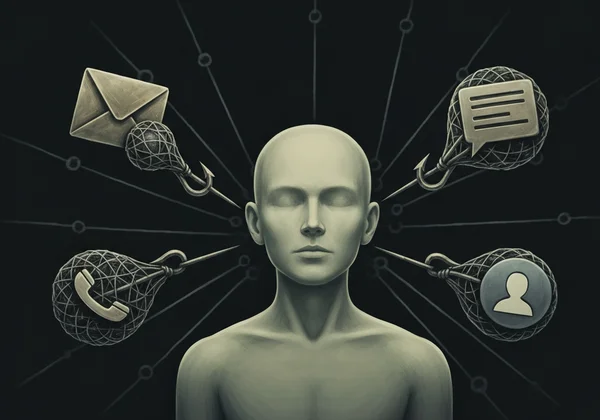
Phishing isn't limited to just one method. Scammers use various channels to reach you, including:
-
Email Phishing: This is the most common form. You might receive an email that looks like it's from a service you use, like Netflix, Amazon, or your bank. It might claim there's a problem with your account or that you need to verify your information. The link inside directs you to a fake website designed to steal your credentials.
-
SMS Phishing (Smishing): Similar to email phishing, but it happens through text messages. You might get a text about an unexpected package delivery. Or it could be a warning that your account is compromised. Both will include a link to "fix" the issue.
-
Voice Phishing (Vishing): Here, attackers call you, often using technology to spoof a legitimate phone number. They might pretend to be from tech support, your bank's fraud department, or even the government.
-
Social Media Impersonation: Scammers create fake profiles or hack existing ones to send malicious links to friends and followers, leveraging the trust you have in that person.
The Devastating Impact of a Successful Phishing Attack
Falling for a phishing scam can have serious consequences. Hackers get one password? They'll test it everywhere else. That's "credential stuffing." Reused passwords turn one slip-up into a total disaster.
The impact can range from:
- Financial Loss: Direct theft from your bank accounts or fraudulent purchases with your credit card details.
- Identity Theft: Attackers can use your personal information to open new accounts, take out loans, or file taxes in your name.
- Loss of Access: You could be locked out of your email or social media accounts, which scammers can then use to target your contacts.
- Reputation Damage: A compromised social media or email account can be used to send spam or malicious content to your friends, family, and colleagues.
Essential Tips to Spot and Avoid Phishing Scams
Worried you might fall for a phishing scam? The good news is that most attempts have clear warning signs. By learning to recognize them, you can significantly reduce your risk of becoming a victim.
Red Flags: How to Identify Suspicious Messages and Links
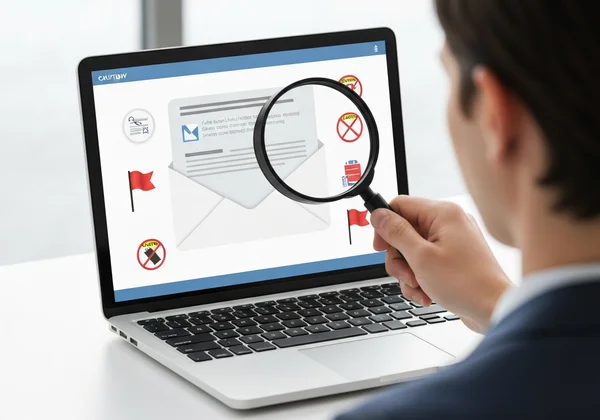
Before you click any link or download any attachment, pause and look for these common red flags:
-
Sense of Urgency: Messages that create panic, such as "Your account will be suspended in 24 hours!" or "Suspicious activity detected!" are designed to make you act hastily.
-
Generic Greetings: Legitimate companies will usually address you by your name. Be wary of generic greetings like "Dear Valued Customer" or "Hello User."
-
Spelling and Grammar Mistakes: While not always present, poor grammar and spelling are classic signs of a fraudulent message.
-
Mismatched Links: Hover your mouse cursor over a link before clicking it. The URL that pops up should match the one displayed in the text. Look for slight misspellings, like "PayPa1.com" instead of "PayPal.com."
-
Unusual Sender Address: Check the sender's email address. Scammers often use addresses that are close to, but not exactly, the official one.
Verify Before You Click: Best Practices for Digital Due Diligence
Your skepticism is your best tool. If a message feels off, it probably is.
- Don't Click, Type: If you receive a warning about your bank or another online account, do not click the link in the message. Instead, open a new browser window and type the official website address yourself. Log in there to check for any alerts.
- Use Official Channels: If you're unsure about a request, contact the company directly using a phone number or email address found on their official website. Do not use the contact information provided in the suspicious message.
- Think About the Request: Ask yourself if it makes sense. Would your bank really ask for your password via email? Would a shipping company text you for credit card information? The answer is almost always no.
Your Strongest Defense: Passwords Against Phishing Attacks
Even the most careful person can make a mistake. What happens if you accidentally click a phishing link and enter your credentials? This is where the strength and uniqueness of your password become your last line of defense.
Why Unique and Complex Passwords Are Non-Negotiable
Make passwords long. Mix in uppercase, lowercase, numbers, and symbols. This thwarts cracking bots.
However, uniqueness is just as important. If you use the same password for your email, online banking, and social media, a single phishing attack gives a criminal the keys to your entire digital kingdom. By using a different, complex password for every single account, you contain the damage. A breach on one site won't compromise your others.
How Our Online Password Generator Fortifies Your Accounts
Remembering dozens of unique, complex passwords is an impossible task for any human. That's why a specialized security tool is essential.
Our online password generator helps you create exceptionally strong passwords in seconds. Here’s how it protects you:
- Instant Strength: Generate long, random passwords with a mix of characters that are virtually impossible for attackers to guess. You can customize the length and character types to meet any website's requirements.
- Guaranteed Privacy: We believe your security and privacy are paramount. That's why our tool is client-side only. This means your password is created directly in your browser. It is never sent to our servers, never stored, and never seen by anyone but you.
- Multiple Modes: Whether you need a highly random string of characters, a memorable passphrase, or a secure PIN, our tool has you covered.
Take the guesswork out of security. You can create secure password combinations that give you peace of mind for every account you own.

Beyond Passwords: Layering Your Account Security
A strong password is a critical foundation, but for maximum protection, you should add more layers of security to your important accounts.
The Power of Two-Factor Authentication (2FA)
Two-Factor Authentication (2FA) adds a second step to your login process. After entering your password, you must provide a second piece of information, usually a code sent to your phone or generated by an app. This means that even if a phisher steals your password, they still can't access your account without your phone. Always enable 2FA on important accounts like your email, bank, and social media.
Regular Monitoring and Software Updates
Stay proactive about your security. Regularly review your bank and credit card statements for any unauthorized activity. Also, make sure your web browser, operating system, and antivirus software are always up to date. These updates often contain critical security patches that protect you from the latest threats.
Protect Your Digital Life: Start with Strong Passwords Today
Phishing scams are a constant threat, but they don't have to be a successful one. By learning to spot the red flags and practicing digital diligence, you can avoid most attacks. For the moments when a clever scam might trick you, a strong, unique password for every account is your ultimate safety net.
Don't leave your security to chance or rely on weak, memorable passwords. It's time to take control.
Ready to upgrade your account security? Generate Your Strong Passwords with our free, secure, and private tool today!
Frequently Asked Questions About Phishing and Password Security
Are online password generators safe to use for phishing protection?
Yes, but only if they operate on a "client-side" basis. This means the password is created on your device and is never transmitted over the internet or stored on a server. Our tool is built on this principle, ensuring that your generated passwords remain completely private and secure. You can safely try our free tool with full confidence.
How can I create a strong password that helps prevent phishing attacks?
A strong password should be at least 12-16 characters long and include a mix of uppercase letters, lowercase letters, numbers, and symbols. Most importantly, it must be unique to each account. The easiest and most secure way to achieve this is by using a reliable strong password generator.
How long should my password be to be truly secure against phishing attempts?
Security experts and organizations like the National Institute of Standards and Technology (NIST) recommend at least 12 characters. However, longer is always better. A longer password makes it much harder for an attacker to crack, providing a stronger defense.
Is my current password secure enough, or am I vulnerable to phishing?
If your password is short, uses common words, or includes personal information like your birthday or pet's name, it is likely insecure. If you reuse the same password across multiple websites, you are highly vulnerable. A single phishing incident could compromise all your accounts. It's best to replace weak passwords immediately.
Can a strong password prevent all phishing attacks?
No. A strong password cannot prevent you from being tricked into entering your credentials on a fake website. Its primary role is to act as a powerful barrier. If a phisher steals the password for one site, its uniqueness prevents them from accessing your other accounts. That's why combining strong, unique passwords with vigilance is the best strategy.