Diceware Method: Create Strong & Memorable Passphrases
Are you tired of the constant battle between password security and your own memory? You know you need complex passwords to stay safe online, but remembering strings like Jk#8!zP@qW$v for every account is nearly impossible. This often leads to using weak, recycled passwords, putting your digital life at risk. The Diceware method offers a brilliant solution, letting you create virtually uncrackable passphrases that you can actually remember.
In this guide, we'll explore this scientifically-backed technique for creating strong passphrase examples. More importantly, we'll show you how to apply it effortlessly. With our Memorable Password generator, you can get the best of both worlds: top-tier security and easy recall. You can try our free tool to see just how simple it is.
Understanding the Diceware Method
Before we jump into creating your first passphrase, let's understand what makes this method so effective. Diceware isn't just a random idea; it's a proven system for generating security credentials that are strong because they are long and unpredictable, yet easy for humans to handle.
What is Diceware and Why It Revolutionized Password Security
The Diceware method was created by security expert Arnold G. Reinhold. The original process involved rolling a physical five-sided die five times to generate a five-digit number. This number would then be used to look up a word from a specially curated list, known as the Diceware wordlist. By repeating this process several times, you could chain together multiple words to form a passphrase, like correct horse battery staple.
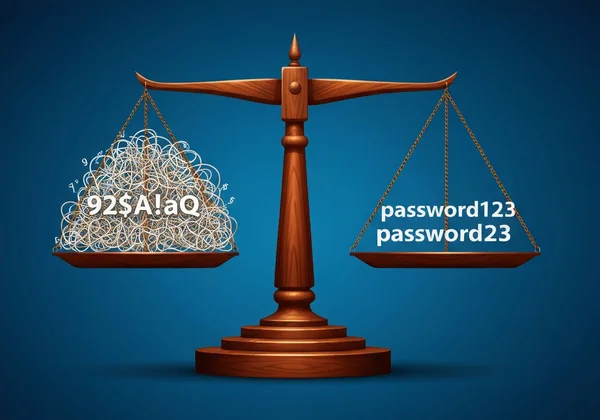
This approach was revolutionary because it shifted the focus from character complexity (using a mix of !@#$%) to length and randomness. A short, complex password can be guessed by a computer in minutes or hours. In contrast, a long passphrase made of several random words can take centuries or even millennia for a computer to crack through brute force. It capitalizes on the power of entropy—a measure of unpredictability—making it a superior choice for securing your most important accounts.

The Mathematics Behind Diceware: Word Combinations vs. Character Complexity
The strength of a password is not just about how it looks, but the math behind it. A standard 8-character password using uppercase letters, lowercase letters, and numbers has a huge number of possible combinations. However, human habits make many of these "random" choices predictable. People often use familiar patterns, birthdates, or simple substitutions like '@' for 'a'.
The Diceware method bypasses this human weakness. A standard Diceware wordlist contains 7,776 words (6^5). Let's compare this with traditional passwords. A 10-character password using mixed cases and numbers has about 62^10 possible combinations. While this seems massive, brute-force attacks can still be effective against it, especially if the password contains dictionary words. In contrast, a five-word Diceware passphrase using the standard 7,776-word list has 7776^5 combinations. This astronomically larger number makes it exponentially harder to guess.
Each word you add to your passphrase dramatically increases its security. This is why a simple-looking phrase like vista flick envoy gimmick erode is far stronger than a complex but short password like Tr0ub4d&r!.
Implementing Diceware with Our Memorable Password Generator
While rolling physical dice is the classic method, it's not very practical for everyday use. That’s where a trusted digital tool comes in. Our Memorable Password generator automates the Diceware process, giving you an instantly secure and easy-to-remember passphrase, all while protecting your privacy.
Step-by-Step Guide to Generating Diceware Passphrases
Creating your own strong passphrase is incredibly straightforward. Our tool is designed for simplicity and security, ensuring a smooth experience from start to finish.
Here's how to do it:
- Visit the Generator: Go to the PasswordGenerator.vip homepage.
- Select 'Memorable' Mode: You will see three options: Random, Memorable, and PIN. Click on "Memorable" to switch to the passphrase generator.
- Generate Your Passphrase: The tool will instantly create a multi-word passphrase based on the Diceware principle. You'll see a phrase like
poetic-cricket-gamma-wieldappear on your screen. - Check the Strength: Notice the strength indicator below the passphrase. Our system analyzes its entropy to confirm it meets high-security standards.
- Copy and Use: Click the "Copy" button to save the passphrase to your clipboard. You can then paste it directly into the password field of any website or application.
The entire process takes only seconds, giving you a powerful security asset without any hassle.
Customizing Your Passphrase: Word Count and Character Types
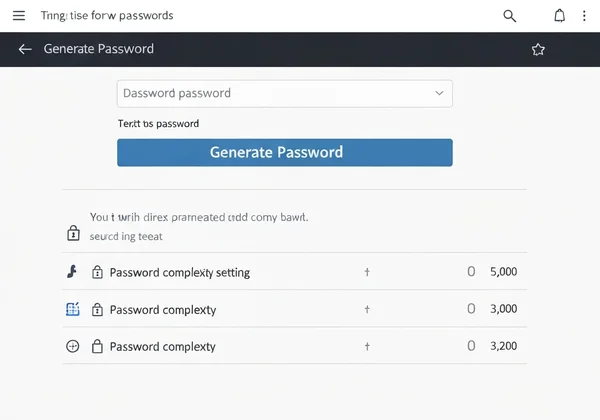
While our default settings provide excellent security, you might have specific requirements. For instance, some services demand an even longer passphrase or the inclusion of numbers and symbols. Our tool gives you the flexibility to customize your passphrase.
You can easily adjust the number of words using the slider. Increasing the word count from four to five or six words exponentially boosts your passphrase's strength. For most accounts, a four-word passphrase is very strong. For critical accounts like your email or online banking, consider using five or six words for maximum protection.
Additionally, our generator lets you add separators or other character types to meet specific site policies. This flexibility ensures your generated passphrase is not only secure but also compliant with any password rules you encounter. Creating a custom password generator result is that simple.
Advanced Diceware Techniques for Maximum Protection
Once you are comfortable with the basics, you can apply some advanced strategies to further enhance your security. These techniques are especially useful for security-conscious professionals and tech enthusiasts who manage high-value accounts.
Creating Site-Specific Diceware Passphrases
One of the golden rules of cybersecurity is to never reuse passwords. The same applies to passphrases. If a service you use suffers a data breach and your passphrase is leaked, any other account using that same passphrase becomes vulnerable.
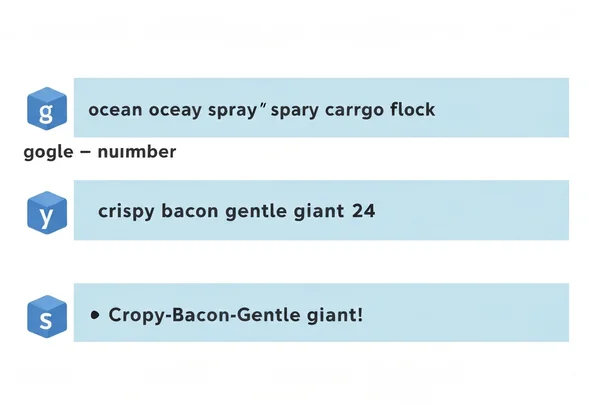
A simple yet effective technique is to add a site-specific word to your generated passphrase. For example, if our tool generates ocean spray cargo flock, you could modify it for different sites:
- Google:
google ocean spray cargo flock - Amazon:
amazon ocean spray cargo flock - Bank:
bank ocean spray cargo flock
This small addition makes each passphrase unique, containing the breach to a single account if one is ever compromised. It’s a simple trick that significantly boosts your overall security posture without sacrificing memorability.
Enhancing Diceware with Special Characters and Numbers
Some websites enforce strict password policies that require a mix of uppercase letters, numbers, and special characters. While a long Diceware passphrase is often more secure on its own, you may need to comply with these rules.
Our tool allows for this. You can easily modify a generated passphrase to meet these requirements. For instance, if you generate crispy bacon gentle giant, you could adapt it as follows:
- Add a number:
crispy bacon gentle giant 24 - Add a special character:
crispy-bacon-gentle-giant! - Use capitalization:
CrispyBaconGentleGiant
These modifications help you satisfy policy requirements while retaining the core length and randomness benefits of the Diceware method. Just be sure to apply your modifications consistently so you can remember them later. The best approach is to use a powerful passphrase generator that can handle these options for you.
Your Path to Unbreakable Yet Memorizable Passwords
With Diceware, you no longer have to choose between creating passwords that are secure but impossible to remember, or memorable but vulnerable to hacking. By prioritizing length and randomness over complex but short character strings, it allows you to create passwords that are both exceptionally strong and easy to remember. You no longer have to rely on weak, repetitive passwords or struggle to recall cryptic codes.
We’ve covered what Diceware is, why it works, and how you can implement it in seconds. By using a trusted tool and applying simple techniques like site-specific additions, you can take a massive step forward in protecting your digital identity. This method empowers you to secure your accounts with confidence.
Ready to create your own secure yet memorable passphrases? Try our Memorable Password generator today and experience the perfect balance of security and convenience.
Frequently Asked Questions About Diceware Passwords
How secure is a Diceware passphrase compared to traditional complex passwords?
A Diceware passphrase is significantly more secure. Its strength comes from its length and the mathematical randomness of word combinations (entropy). A 5-word passphrase has vastly more possible combinations than a typical 10-character complex password, making it exponentially harder for a computer to crack via brute-force attacks.
How many words should I include in my Diceware passphrase?
For most online accounts, a four-word passphrase offers excellent security. For high-value accounts such as your primary email, banking, or password manager, we recommend using five or six words. Each additional word increases the time it would take to guess exponentially, providing a massive security boost.
Can I use Diceware for all my online accounts?
Absolutely. The Diceware method is an ideal strategy for securing all your accounts. To maximize security, you should generate a unique passphrase for each service. A simple way to do this is by adding a unique, site-specific word to each passphrase you create.
Are Diceware passphrases truly memorable in the long term?
Yes, that’s one of their biggest advantages. Because they are made of real words, they form a narrative or mental image that is much easier for the human brain to store and recall compared to a random string of characters. A phrase like vivid tiger canoe puzzle is far easier to remember than v%TcP9!z.
Why is client-side generation important for passphrase security?
Client-side generation is crucial for your privacy and security. It means that your passphrase is created directly in your browser on your own device. It is never sent over the internet or stored on our servers. At PasswordGenerator.vip, we are committed to this principle, ensuring that we never see, record, or store your passwords. Only you have access to what you create.