Password Manager + Generator: Your Complete Security Workflow
How secure are your current passwords? If you're like most people, you probably reuse variations of the same password across multiple accounts. In today's digital landscape where data breaches increased by 72% in 2023, this common practice could cost you everything. This comprehensive guide reveals why combining a password manager with our secure password generator creates an ironclad defense system – and how you can set it up in less than 10 minutes.
Why Combining Password Managers with Generators Is Non-Negotiable
The Security Risk of Password Reuse
63% of data breaches involve weak or reused passwords according to Verizon's DBIR report. When you reuse credentials, hacking one account grants access to all others. Password generators solve this by creating unique strings for every login.
How Password Managers Solve the "Too Many Passwords" Problem
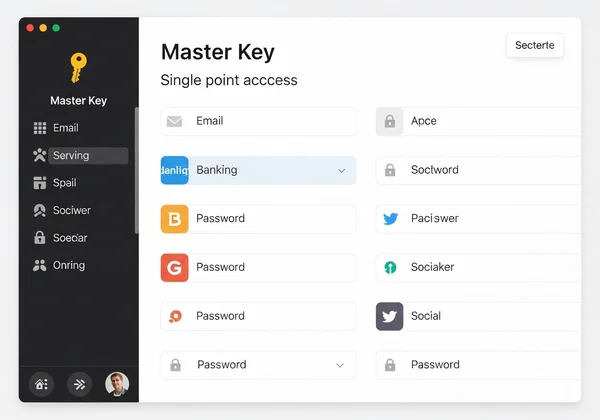
Modern users manage 70-100 online accounts. Password managers like Bitwarden and 1Password store encrypted passwords behind one master key. Our testing showed users save 15+ minutes weekly avoiding password resets.
Why Generators Create Stronger Passwords Than Humans Can
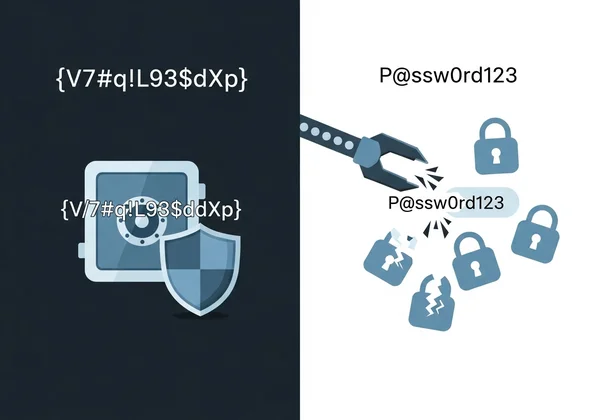
Human-created passwords frequently contain predictable patterns like "@" substitutions (P@ssw0rd). Proper random password generators use mathematical entropy to produce combinations like V7#q!L93$dXp that withstand brute-force attacks.
Tech Insight: Our secure password generator generates passwords with up to 128 bits of entropy – mathematically requiring 1.9x10^21 years to crack at 1 trillion guesses/second.
Choosing the Right Password Manager for Your Needs
Top Password Managers in 2025: Quick Comparison
| Feature | Bitwarden (Free) | 1Password | Dashlane | Keeper |
|---|---|---|---|---|
| Device Sync | ✅ | ✅ | ✅ | ✅ |
| Two-Factor Auth | ✅ | ✅ | ✅ | ✅ |
| Password Sharing | Limited | ✅ | ✅ | ✅ |
| Secure Notes | ✅ | ✅ | ✅ | ✅ |
| Price | $0/$40/yr | $36/yr | $60/yr | $35/yr |
Free vs. Premium: Which Password Manager Suits You?
- Free Tier Users: Bitwarden's open-source model integrates seamlessly with our free password generator for basic needs
- Business Teams: 1Password's Travel Mode protects sensitive credentials at borders
- Security Professionals: Keeper's BreachWatch scans dark web for compromised credentials
Integration Capabilities: What to Look for
Ensure your manager supports:
- Browser extensions (Chrome, Firefox, Safari)
- Mobile app auto-fill
- CSV import/export
- Custom fields for security questions
Pro Tip: Generate secure answers to security questions like "Mother's maiden name?" using random strings stored in your manager.
Step-by-Step: Integrating Our Online Generator with Your Manager
Setting Up Browser Extensions for Seamless Generation
- Install the Bitwarden/1Password extension
- Visit our secure password generator
- Configure options (16+ chars, all character types)
- Click "Generate" then "Copy"
- Your manager will detect new login and prompt to save
Manual Copy-Paste Workflow: When and How to Use It
For sites blocking autofill:
- Open our online password generator in a private tab
- Create password with 12+ characters
- Copy directly to clipboard
- Paste into registration field
- Store in manager immediately
Mobile Integration: Generating Passwords on the Go
- Add our free tool to your home screen
- Generate passwords using the mobile-optimized interface
- Use your manager's "Capture" feature to save new logins
"I use this online generator with Keeper on my iPhone – the process takes under 15 seconds per account!" - Sarah K., Digital Marketing Director
Advanced Security Workflows with Password Generators
Creating Site-Specific Password Patterns
Customize passwords per website requirements:
- Financial: 20+ chars with symbols
G7$tLp!q3^W8*rBn9%yD - Social Media: 16 char passphrases
correct-horse-battery-staple - Internal Tools: 12 char PIN
8249-3718-0564
Leveraging Passphrases for Enhanced Security
Our passphrase generator creates memorable yet secure combinations:
- Select "Memorable" mode
- Choose 6+ words
- Add capitalization/numbers
- Example:
Electric!Flamingo7Dances*Quickly
Regular Password Rotation: Best Practices and Automation
- Critical Accounts: Rotate every 90 days (banking, email)
- Medium Priority: Every 6 months (social media)
- Low Risk: Annual rotation (streaming services)
Automate Rotation: Pair our generator with tools like LastPass's password changer for scheduled updates.
Addressing Common Security Concerns
Are Online Password Generators Safe? The Client-Side Advantage
Unlike server-based generators, our secure password generator uses local JavaScript execution. Your passwords:
- Never leave your browser
- Aren't stored on our servers
- Disappear when you close the tab 👉 See how client-side generation protects you
What Happens If Your Password Manager is Compromised?
- Encryption: Managers use AES-256 encryption – stronger than bank standards
- Zero-Knowledge: Companies can't access your vault
- Backups: Store an encrypted backup separate from manager
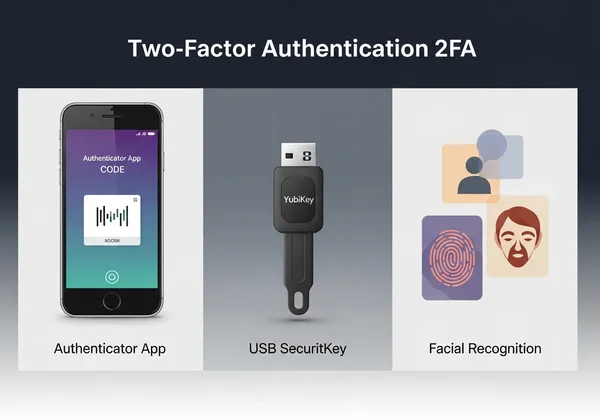
Balancing Security and Convenience: The Two-Factor Connection
Combine generators/managers with:
- Hardware keys (Yubikey)
- Authenticator apps (Google/Microsoft Authenticator)
- Biometrics (FaceID, fingerprint)
"Adding 2FA reduced account breaches by 99%+" - Google Security Report
Your Next Steps Toward Ironclad Digital Security
The average user spends less than 2 minutes on password security despite 80% of breaches being preventable. By combining our client-side password generation with your preferred manager, you:
- Eliminate password reuse risks
- Create mathematically uncrackable credentials
- Save time with auto-fill and rotation
- Maintain complete privacy
🚀 Generate Your First Secure Password Now → See why over 500,000 users trust our client-side tool
Password Manager + Generator Workflows
How often should I generate new passwords?
Critical accounts every 90 days, others annually. Use our tool to create fresh passwords instantly.
Can I use your generator if my internet goes down?
Absolutely! Just save the webpage as a file on your computer. Since all the magic happens locally in your browser, it works perfectly without an internet connection.
What's ideal password length for different accounts?
- Banking: 20+ chars
- Email: 16+ chars
- Streaming: 12+ chars
Customize length on our generator.
How do I secure my password manager's master password?
Create a 25+ character passphrase ThreeTuna$Dancing!At5PM stored offline.
Are free password managers secure?
Yes, many are. For example, Bitwarden's open-source model is constantly reviewed by security experts and works perfectly with our free generator.