PIN vs Password vs Passphrase: Which Mode Fits?
A password generator only helps if you pick the right kind of secret for the job. That is where many people get stuck. They know they want something stronger, but they are not sure whether they should generate a random password, a memorable passphrase, or a numeric PIN.
The easiest way to decide is to stop asking which option is strongest in the abstract. Ask which option fits the login context. A website account, a daily mobile login, and a local device unlock do not all create the same kind of risk.
If you want to choose fast, the homepage random password mode is the best default for most account logins, while the memorable passphrase mode and the PIN generator on the homepage make more sense in narrower cases. The key is knowing where each one belongs.
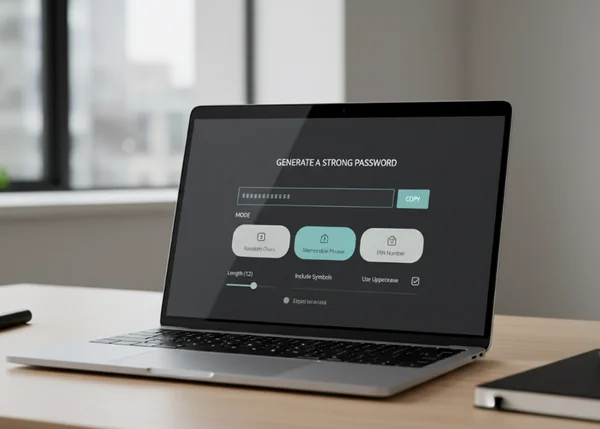
Why one generator mode cannot fit every login
A strong login secret is not just about raw complexity. It is also about where you use it and how often you must type it. It also depends on whether a password manager is involved and whether the secret protects a remote account or only unlocks a local device.
That is why the site offers three modes instead of one. Random, Memorable, and PIN are not cosmetic choices. They solve different friction points while keeping the core goal the same: generate something unique instead of reusing an old weak credential.
When a random password is the strongest default
Best for account logins you will save in a manager
For most website and app accounts, a random password is still the strongest default. It is hard to predict, easy to make unique, and does not rely on your memory if you store it properly.
That fits current standards. NIST SP 800-63B says passwords used as single-factor authentication secrets shall be at least 15 characters long. That is one reason a generator is so useful for saved logins: it makes long, unique strings easy to create without inventing them by hand.
Where random strings create more friction than value
Random strings become less convenient when you have to type them often on a phone, tablet, TV remote, or other awkward input surface. In those cases, the strongest theoretical string may push people toward unsafe behavior such as storing passwords in plain notes or reusing easier ones later.
That does not mean random passwords are wrong. It means they work best when the login is paired with a password manager or another reliable way to store and autofill them.
When a memorable passphrase is the better tradeoff
Good for logins you must actually type often
A memorable passphrase can be the better tradeoff when you need a secret you will enter regularly and cannot always rely on autofill. A long phrase made from unrelated words is often easier to type and less tempting to write down in the wrong place.
NIST also supports longer, more flexible secrets here. The same NIST guidance says verifiers should accept all printing ASCII characters plus the space character. It also says they should permit a maximum length of at least 64 characters. That makes room for long passphrases instead of forcing users into short, hard-to-remember strings.
Where passphrases still need extra caution
A passphrase is not automatically strong just because it uses words. It still needs to be long enough, uncommon enough, and unique to that account. A famous quote, song lyric, or phrase you already use elsewhere is not a good substitute for a truly fresh secret.
This is where the site's Memorable mode helps. It gives you a way to generate something easier to retain without drifting back to personal patterns, reused favorite phrases, or predictable substitutions.
When a PIN belongs on a device and not a website
Useful for local device unlock contexts
A numeric PIN fits local unlock contexts like phones or tablets with retry limits. That is very different from using a short numeric secret as the main password for an online account.
NIST draws that boundary clearly. In its activation-secret guidance, NIST says local device PIN-like secrets must be at least 4 characters long. It also says they should be at least 6 characters long. That is a useful benchmark for device unlock thinking, not a reason to replace a real account password with a short PIN.
Why a PIN should not replace a strong account password
A website password usually protects a remote account that may be exposed to credential stuffing, password reuse attacks, and wider breach fallout. A short numeric PIN is far easier to guess and far less flexible than a full password or passphrase in that context.
That is why the site's PIN mode should be treated as a specific option, not the universal answer. It fits certain local unlock needs. It does not replace a strong account secret for email, work tools, banking, or other high-value logins.
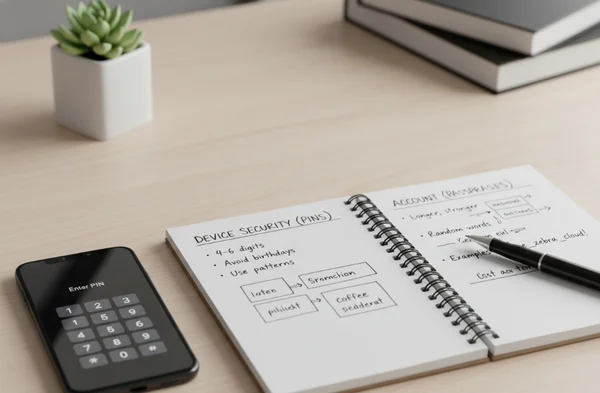
How to pick the right mode on the homepage fast
Match the mode to the login type before you click Generate
A quick decision rule helps. If the secret is for a normal online account and you will store it in a manager, choose Random. If you must type it often and need something more human-friendly, choose Memorable. If the secret is for a local device unlock context, choose PIN.
That keeps the decision simple without making it careless. You are not choosing a favorite format. You are choosing the least risky format for the exact job.
Copy it, store it, and avoid short-term reuse
Generation is only the first step. Storage and reuse habits matter just as much after that. If a password is strong but reused across several sites, one breach can still spread the damage.
The FTC's password guidance recommends using long, unique passwords for each account because password reuse can expose multiple accounts when one site is breached. That is why the safest workflow is not just generate and copy. It is generate, store correctly, and move on to the next account with a fresh secret.
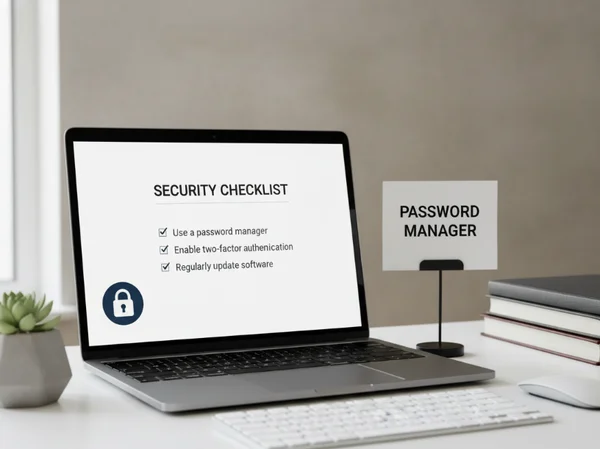
What to do next before you generate a new secret
Start by naming the login context. Is this a remote account, a frequently typed login, or a local device unlock? Once that answer is clear, the right mode usually becomes obvious.
Then generate once, copy carefully, and save it in the right place. The goal is not to create the most intimidating string possible. The goal is to create a secret that is strong enough for the risk and usable enough that you will not work around it later.
That is the real advantage of having Random, Memorable, and PIN in one place. You can match the generator mode to the problem instead of forcing one format into every security situation.